Why did I build it?
In small businesses, stock is often kept in a spreadsheet or in a few people's heads. Products are noticed only once they run out, whether ordered goods have arrived is hunted down in messages, and when a count does not add up it is hard to find where the difference came from.
I built DevStock to bring this scattered information into a single panel. Products, stock movements, purchase orders, counts and suppliers live in one place, and every stock change is recorded with who made it, when and why.
Who is it for?
Small wholesalers selling office and stationery, packaging or cleaning supplies (the demo data is built around this scenario).
E-commerce sellers who ship from a single warehouse or the back room of a shop.
Workshops and service businesses that keep spare parts or consumables.
Shops and distributors with a small team.
Questions it answers in daily work
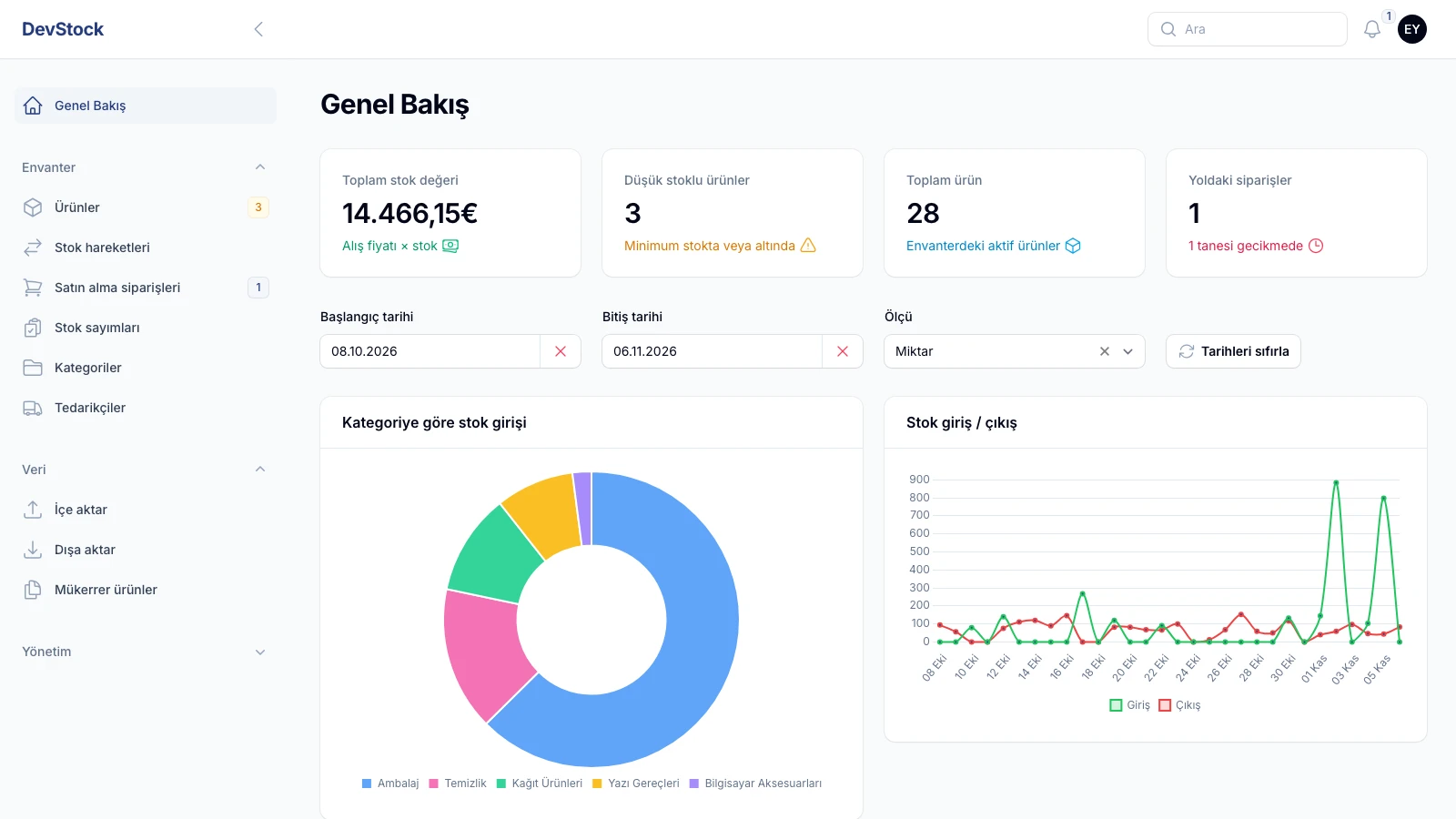
"What do I have?" Each product's stock and its value are visible on one screen. The overview summarises total stock value, the number of active products and stock intake by category.
"What is running out?" When a product drops to its minimum level, an alert appears in the panel and, optionally, by email. The "Order low stock" action prepares the purchase order for the supplier.
"Has my order arrived?" Purchase orders are tracked from the moment they are placed until they are received; ordered, received and outstanding quantities are visible line by line. Late orders are shown in red, and stock increases automatically when goods are received.
"The count doesn't match, where did the stock go?" Every movement in and out is recorded with who, when and why, and these records cannot be deleted. In a blind count, warehouse staff only enter the quantity they counted; the manager reviews and approves the differences from the system quantity, and each difference is recorded as a separate adjustment.
"What should each employee be able to touch?" Roles are split into super admin, manager, operator and viewer. Warehouse staff only record stock movements and counts, accounting can only view, and prices and settings are changed by managers.
Other features
Price and margin tracking: The product page shows purchase, cost and sale prices, profit margin and price history together. A list of the most expensive purchases makes it easy to compare costs.
Excel import and export: An existing product list can be imported from Excel, and records can be exported back to Excel. Duplicate products are listed on a separate screen.
Categories and suppliers: Products are linked to categories and suppliers, and orders are prepared through the relevant supplier.
Technical scope
I built the application with Laravel 11 and Filament 3, with tests written in Pest. Stock quantities are never edited directly; every change is created through an immutable movement record, so today's stock of any product can be traced back through its history. Permissions are enforced on the server by role, and the interface is available in Turkish and English.
Note: The video and screenshots use sample data that simulates a wholesaler selling office and stationery, packaging and cleaning supplies.